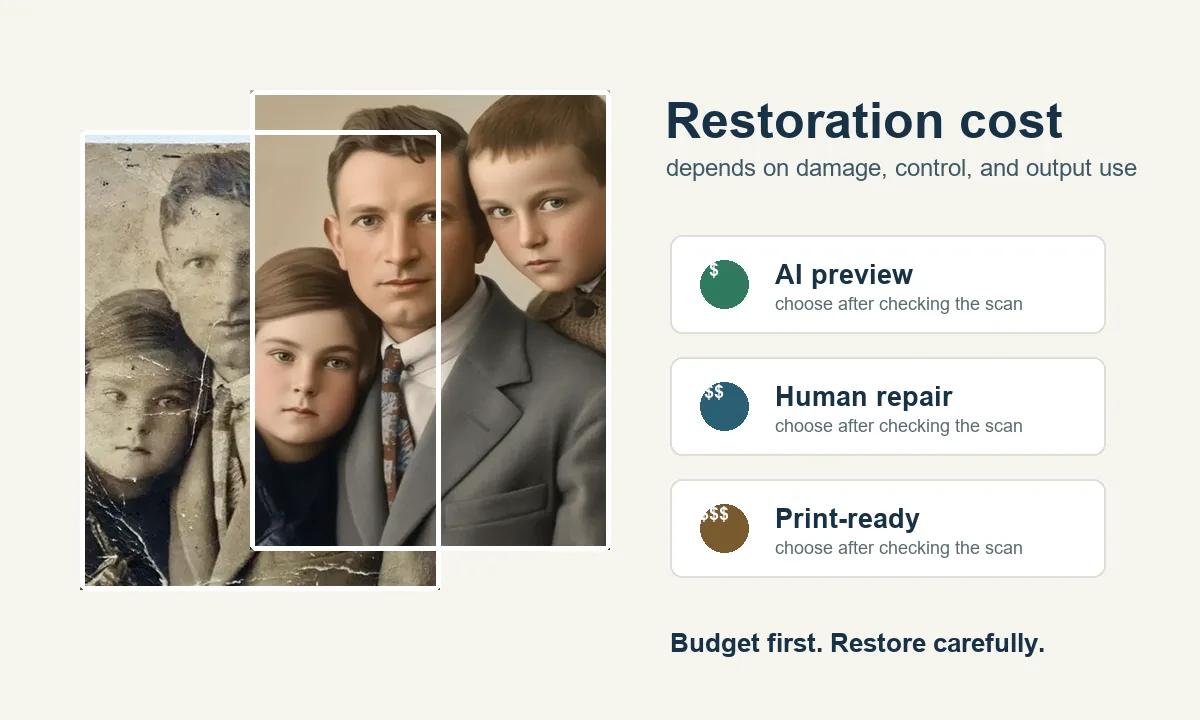
Photo restoration cost can range from a low-cost AI preview to a much higher manual repair quote. The right budget depends on damage severity, the number of faces, whether colorization is needed, and whether the final file must be good enough for printing.
Start with the least risky option: make a clean scan, run a conservative AI preview, then decide whether the remaining damage is worth manual retouching.
In this guide
- Quick Answer: Typical Photo Restoration Cost
- What Affects Photo Restoration Prices?
- AI Restoration vs Human Restoration Cost
- A Safe Budget Workflow Before You Pay
- When a Higher Restoration Price Is Worth It
- Example Cost Scenarios
- Pricing Sources and Market Checks
- Photo Restoration Cost FAQ
- Start with the Smallest Sensible Budget
Quick Answer: Typical Photo Restoration Cost
For a simple family snapshot, an online AI restoration tool is usually the cheapest first step because it can fix light fading, mild blur, dust, and small scratches quickly. Human restoration costs more because a retoucher spends time judging faces, rebuilding missing areas, balancing tones, and preparing a file for print.
| Restoration need | Typical budget path | Best when | Avoid when |
|---|---|---|---|
| AI preview or light cleanup | Low-cost credits or free preview | The scan is readable and damage is mild | The face is badly missing or historically important |
| Manual digital restoration | Per-photo quote | Cracks cross faces, parts are missing, or the print needs careful judgement | You only need a quick social copy |
| Colorization add-on | Extra fee or separate tool step | Black-and-white portraits need a plausible color version | You need verified historical color |
| Print-ready delivery | Higher budget than web-only output | The restored photo will be framed, gifted, or archived | A small phone share is enough |
Use the cheapest option that still preserves the person and the memory.
Market examples vary widely: public pricing pages show low self-service or small-print costs, flat per-photo offers around tens of dollars, and complex manual restorations that can cost much more.
Check the Low-Cost Path First
Try a conservative AI restoration preview before requesting a higher manual quote.
Restore a Photo NowWhat Affects Photo Restoration Prices?
The same old photo can be inexpensive or expensive depending on what must be repaired. A faded but complete portrait is very different from a torn group photo where eyes, clothing, hands, and background details must be reconstructed.
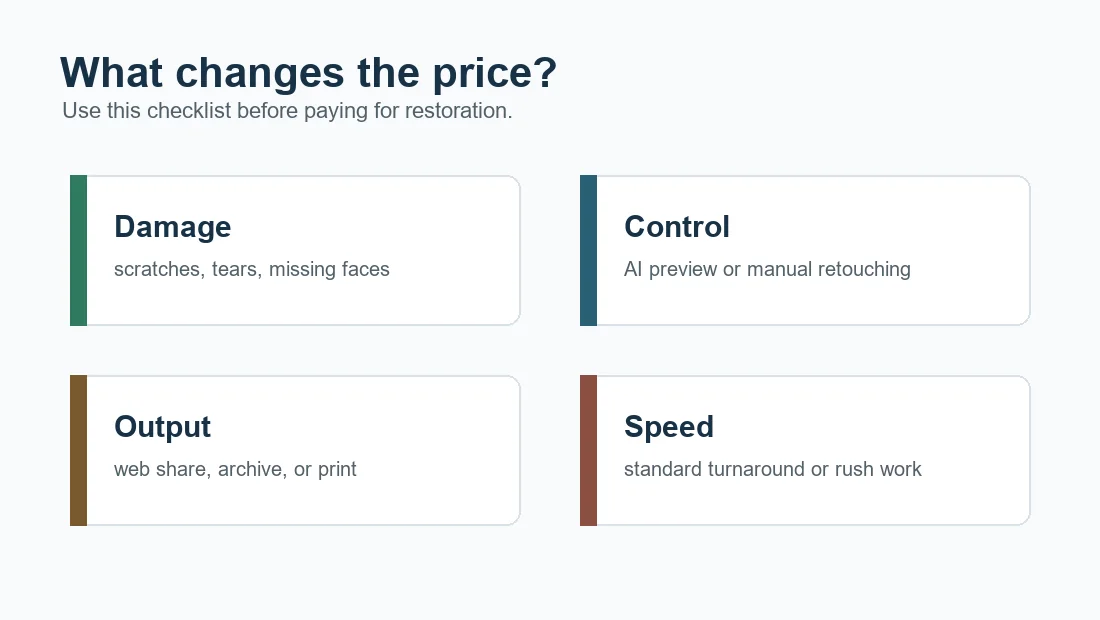
The biggest price drivers are:
- Damage severity: dust and fading are cheaper than missing faces, mold, water stains, or large tears.
- Number of people: group portraits take longer because every face must still look like the right person.
- Color work: colorizing black-and-white photos adds research and judgement, not just a filter.
- Output quality: a web image can hide flaws that a framed print will reveal.
- Revision expectations: professional work often includes review rounds, which should be reflected in the quote.
AI Restoration vs Human Restoration Cost
AI restoration is best treated as the first estimate. It can show whether the scan has enough information, whether the face can be sharpened safely, and whether scratches can be reduced without hours of editing. If the AI result already looks natural, paying for manual work may not be necessary.
Human restoration is worth considering when the photo is irreplaceable, the damage crosses important faces, or the final use is a print, memorial display, family book, or archive. In those cases, the cost is really paying for judgement: what to repair, what to leave alone, and when not to invent details.
| Option | Strength | Cost logic | Quality risk |
|---|---|---|---|
| Online AI | Fast preview and automatic repair | Usually priced by credits, subscription, or free trial | May over-smooth or change facial identity |
| Human retoucher | Manual decisions and local repair | Priced by time, damage, revisions, and output needs | Quality depends on skill and communication |
| Hybrid workflow | AI first, manual only where needed | Keeps budget focused on remaining hard problems | Needs careful before-after review |
A Safe Budget Workflow Before You Pay
- Scan the original at a useful resolution and keep the untouched file.
- Try a conservative AI photo restoration preview before requesting manual quotes.
- Compare eyes, mouth, clothing, background, and age against the original.
- If the result is good enough for sharing, export it and stop spending.
- If important details are still wrong, ask for a manual quote with the original scan and the AI preview attached.
This workflow avoids paying for a full manual restoration when the photo only needs light cleanup. It also gives a human restorer better context when you do need professional help.
If the AI preview is enough, compare the current photo restoration pricing before buying credits.
When a Higher Restoration Price Is Worth It
A higher quote can be reasonable when the work involves more than automatic cleanup. Severe damage often requires selective masks, local cloning, tonal rebuilding, face-by-face review, and print checks.
Upgrade from AI-only when:
- The restored face no longer looks like the original person.
- A tear or stain crosses eyes, mouth, handwriting, or a uniform.
- The photo will be enlarged, framed, or used in a memorial display.
- You need a consistent set of restored photos for a family book or archive.
- You need documented edits and a non-destructive workflow.
Example Cost Scenarios
| Scenario | Likely approach | Budget note |
|---|---|---|
| Faded portrait with small scratches | AI cleanup plus manual review | Often the most budget-friendly case. |
| Torn wedding portrait with damaged faces | Manual restoration after AI preview | Expect a higher quote because identity must be protected. |
| Black-and-white photo to color | Restore first, colorize second | Colorization may be a separate add-on. |
| Large group photo for printing | Manual face-by-face review | More subjects usually means more time. |
| One quick social-media copy | AI preview and export | Do not overpay for print-level work if you do not need it. |
If you are still comparing options, read our photo restoration software comparison. If your image is physically fragile, start with the scanning guide before sending it anywhere.
Pricing Sources and Market Checks
Because restoration quotes vary by provider, compare pricing examples and service terms instead of trusting one number. Look for damage tiers, revision policy, delivery size, privacy terms, and whether the provider distinguishes AI repair from human retouching.
Useful external pricing references:
Photo Restoration Cost FAQ
Start with the Smallest Sensible Budget
The best photo restoration budget is not always the highest one. Start with a clean scan and an AI preview, then pay for manual repair only when the remaining problem truly needs human judgement. For many family photos, that path gives a restored result quickly while keeping the original memory intact.

Sarah Mitchell, AI Photo Restoration Writer
Sarah writes about AI photo restoration, family-photo preservation, and practical workflows for repairing old images without losing identity or historical context.