The best scanner for old photos is usually a flatbed if the originals are fragile, curled, thick, torn, or historically important. A dedicated photo feeder is better when you have hundreds of stable modern prints and need speed. For most family archives, the safest answer is not one model but a two-track workflow: flatbed for risky originals, feeder or service scanning for clean duplicate prints.
Do not run brittle, glued, wet, moldy, or cracked photos through an automatic feeder. Scan those one at a time on a flatbed or ask a preservation service.
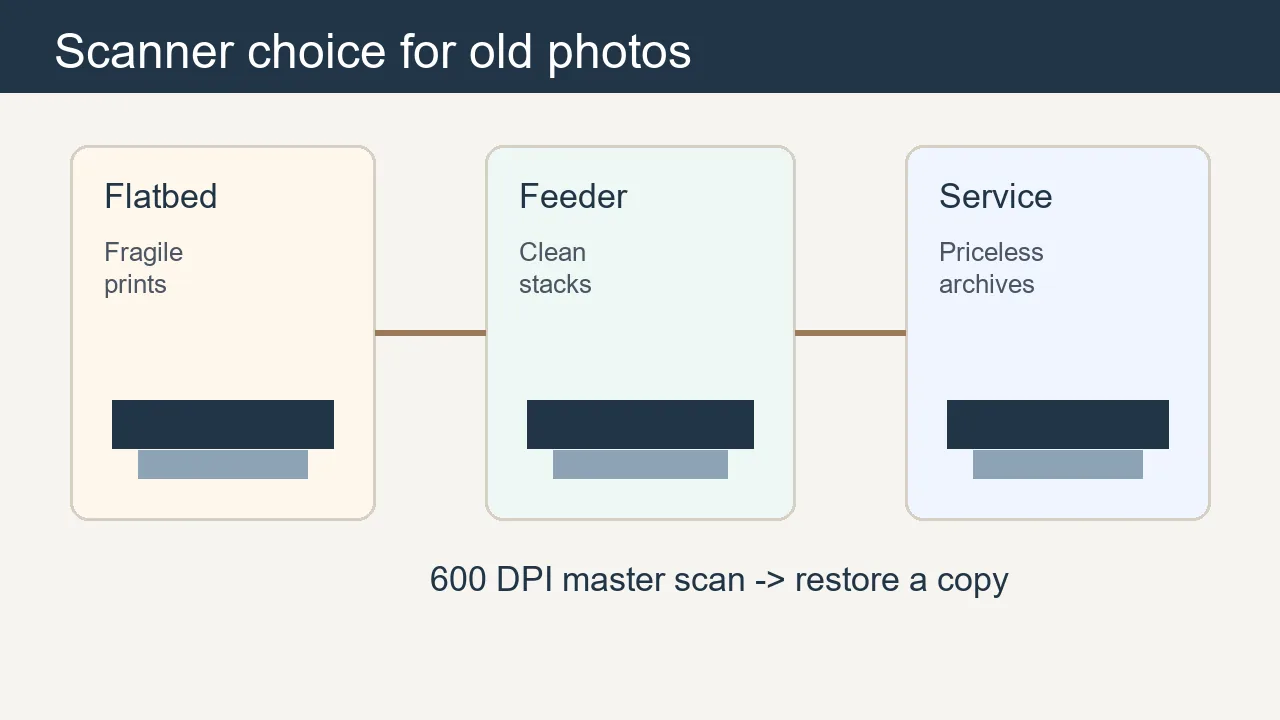
Table of Contents
- Quick Answer: What Scanner Is Best for Old Photos?
- Flatbed vs Photo Feeder: Which One Fits Your Archive?
- Scanner Types and Example Models to Compare
- DPI, File Format, and Settings That Actually Matter
- Safe Workflow Before AI Restoration
- Scanner Mistakes That Damage Old Photos or Waste Time
- Sources and Specs Worth Checking
- Frequently Asked Questions
- Buy for the Photos You Actually Have
Quick Answer: What Scanner Is Best for Old Photos?
If you only buy one scanner for mixed old family photos, choose a flatbed photo scanner. It keeps the print still, avoids rollers, supports odd sizes, and gives you more control over dust, cropping, and exposure. If your collection is mostly clean 4x6 or 5x7 prints from the 1970s onward, a photo feeder can save many hours.
| Photo condition | Best scanner type | Why | Avoid |
|---|---|---|---|
| Fragile, curled, cracked, or torn | Flatbed | No rollers touch the image surface; you can support the print manually. | Automatic feeders |
| Hundreds of clean modern prints | Photo feeder | Fast batch scanning and automatic cropping. | Mixing sizes too aggressively |
| Slides or negatives | Flatbed with transparency unit or film scanner | Needs backlight and film holders. | Ordinary document scanners |
| One priceless original | Flatbed or professional service | Better control and lower handling risk. | High-speed batch scanning |
Start with condition, not speed. The safest scanner is the one that handles the original with the least stress.
Flatbed vs Photo Feeder: Which One Fits Your Archive?
A flatbed scanner is slower, but it is more forgiving. You can scan a brittle photo without bending it, leave album corners attached if they are risky to remove, and capture unusual cabinet cards or panoramic prints. A feeder scanner is built for volume. It pulls stacks through rollers, scans both sides on some models, and can organize boxes quickly.
Use a flatbed when:
- The photo is brittle, curled, cracked, wet, moldy, or stuck to backing.
- The print is thick, mounted, hand-tinted, or one of a kind.
- You need careful cropping, dust inspection, or maximum detail for restoration.
Use a feeder when:
- The prints are clean, flexible, and similar in size.
- You have hundreds or thousands of ordinary family snapshots.
- Speed and organization matter more than museum-level handling.
Scanner Types and Example Models to Compare
This guide does not rank products by affiliate payout. It explains what to compare. Epson's FastFoto FF-680W is an example of a high-speed photo feeder; Epson's Perfection V600 is a common flatbed photo scanner with film support; Canon's imageFORMULA RS40 is a compact photo/document feeder. Official specs show the tradeoff: feeder models emphasize speed and 600 dpi class capture, while photo flatbeds emphasize higher optical resolution and film support.
| Scanner category | Example | Best for | Key tradeoff |
|---|---|---|---|
| High-speed photo feeder | Epson FastFoto FF-680W | Large boxes of stable prints | Fast, but not ideal for fragile originals |
| Photo flatbed | Epson Perfection V600 | Fragile prints, film, careful restoration scans | Slower, but more controlled |
| Photo/document feeder | Canon imageFORMULA RS40 | Mixed home scanning with photos and paperwork | Convenient, but rollers still touch prints |
| Professional service | Local lab or archival service | Priceless, damaged, or huge collections | Costs more but reduces handling mistakes |
Always check current availability, OS support, and return policy before buying; scanner models change over time.
DPI, File Format, and Settings That Actually Matter
For printed family photos, 600 DPI is a strong default for restoration and reprinting. Use 1200 DPI for tiny wallet photos, small faces, or details you plan to crop. Do not assume a giant interpolated number creates more real detail. Optical resolution, sensor quality, focus, clean glass, and gentle handling matter more than marketing numbers.
Recommended scan settings:
- 600 DPI for most 4x6 and 5x7 family prints.
- 1200 DPI for small originals, damaged faces, or heavy cropping.
- Color mode even for black-and-white prints, because stains and paper tone are useful restoration clues.
- TIFF or high-quality PNG for the master file; JPEG only for sharing copies.
- Turn off aggressive auto-correction for the archive master, then enhance a copy.
Safe Workflow Before AI Restoration
A scanner is only the first step. Clean loose dust safely, scan a master file, make a duplicate for editing, then restore the copy. That prevents the restoration process from replacing your only record of the original.
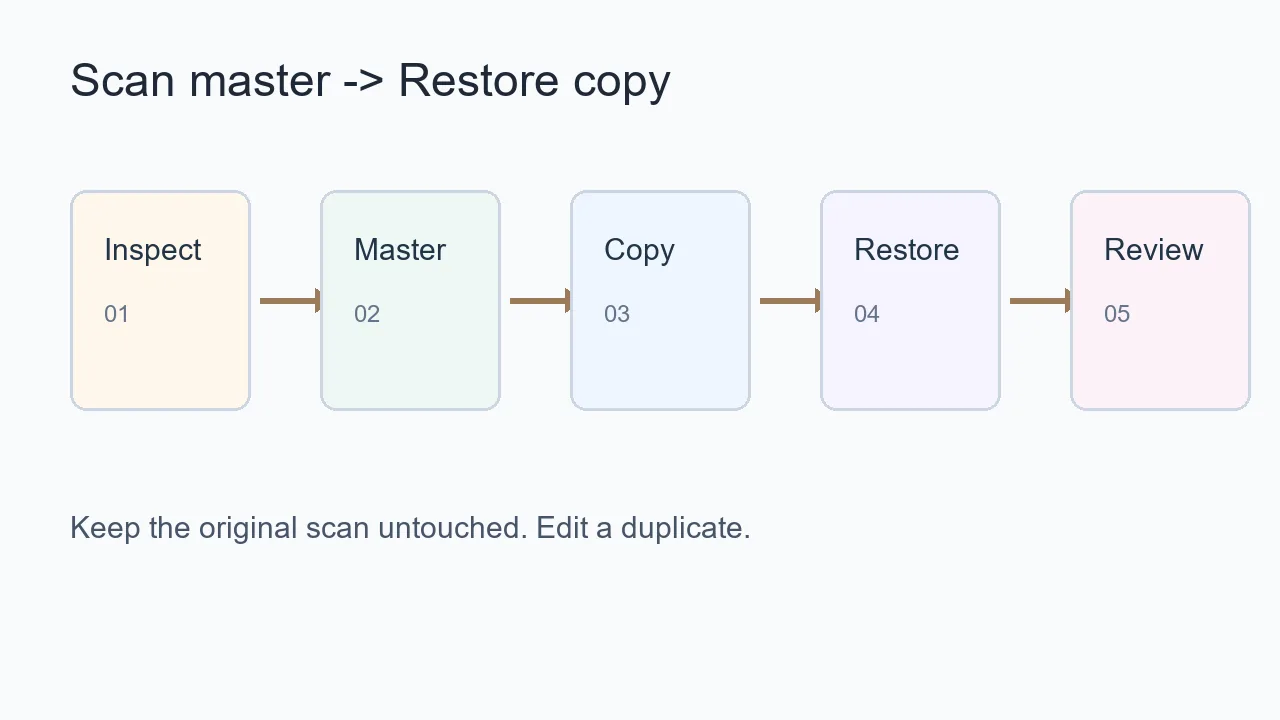
- Inspect the photo for cracks, mold, wetness, and stuck paper before choosing the scanner.
- Clean only loose dust with safe dry tools; do not spray household cleaners on prints.
- Scan the master at the right DPI and save it untouched.
- Run restoration on a duplicate file with AI old photo restoration or a manual editor.
- Compare the result against the original before printing or sharing.
For deeper setup details, read how to scan old photos. If the scan reveals scratches, use remove scratches from photos. If faded color is the main issue, try colorize old photos.
Scanner Mistakes That Damage Old Photos or Waste Time
The biggest mistake is treating every print like ordinary office paper. Old photo paper can be brittle, curled, sticky, silvered, or attached to album residue. A fast scanner can save time, but it can also bend a fragile original before you realize anything is wrong.
Avoid these mistakes:
- Feeding brittle or curled originals through rollers.
- Scanning only at 300 DPI when you plan to restore faces or reprint.
- Letting auto-enhancement overwrite the only master copy.
- Forgetting to clean scanner glass before every batch.
- Mixing very different photo sizes in one feeder stack.
Sources and Specs Worth Checking
Before buying, verify official specifications, supported operating systems, maximum photo size, feeder limits, and whether the scanner supports the file format you need. Official product pages and user guides are more reliable than short marketplace blurbs.
Useful references:
Frequently Asked Questions
Buy for the Photos You Actually Have
The best scanner for old photos is the one that protects the original while capturing enough real detail for restoration. Choose a flatbed for fragile or valuable prints, a photo feeder for stable high-volume snapshots, and a professional service when the collection is too risky or too large to handle casually.

Sarah Mitchell, AI Photo Restoration Writer
Sarah writes about AI photo restoration, family-photo preservation, scanning workflows, and practical ways to repair old images without losing identity or historical context.